Serveur d'Impression

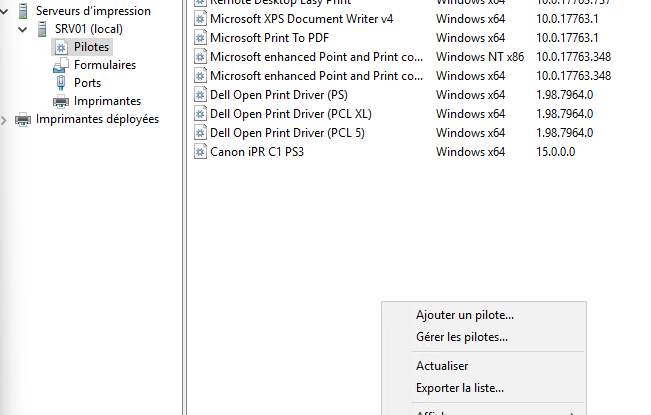
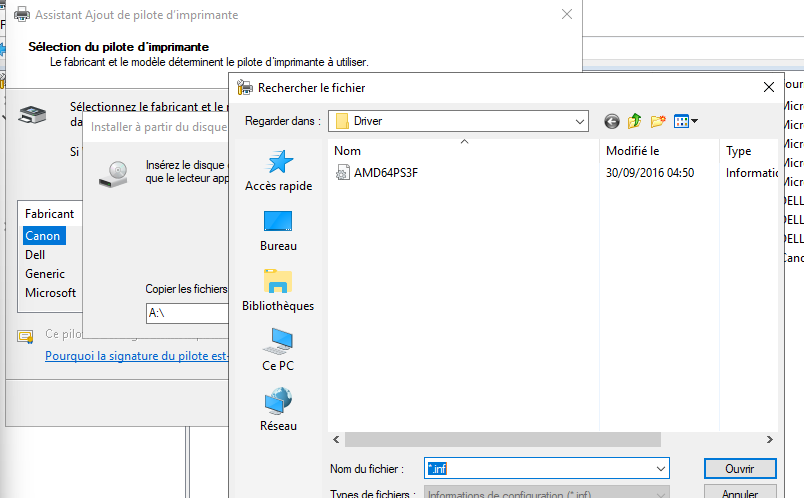
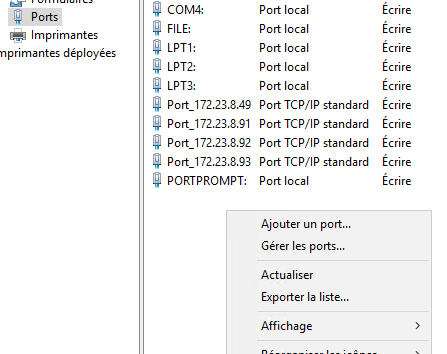
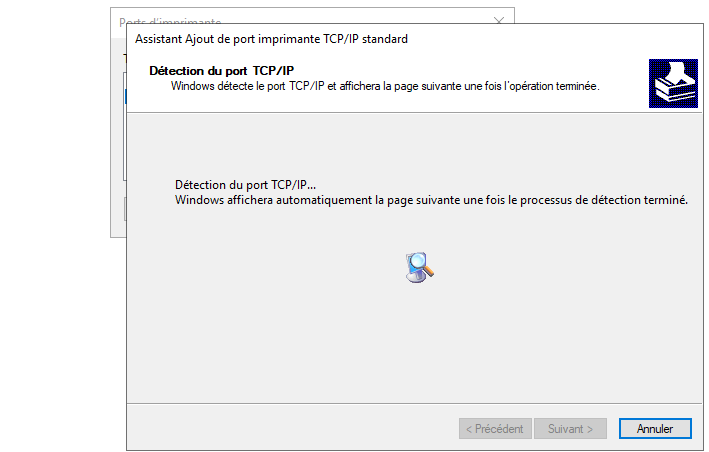
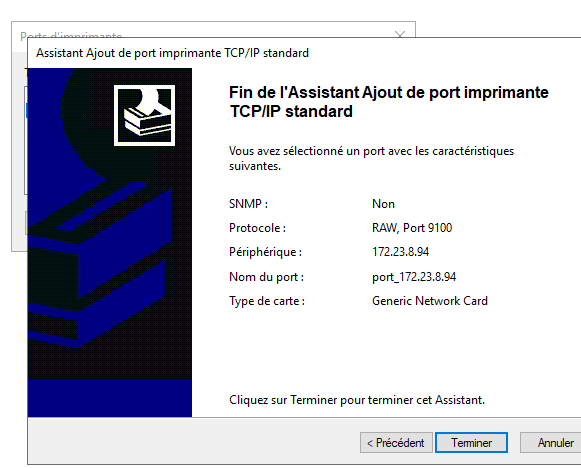
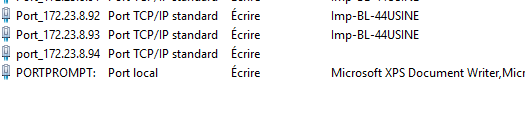
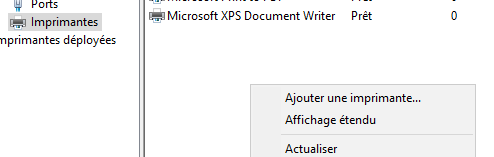
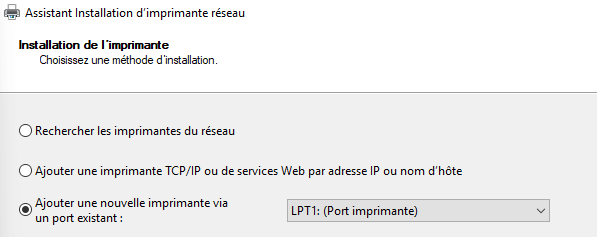
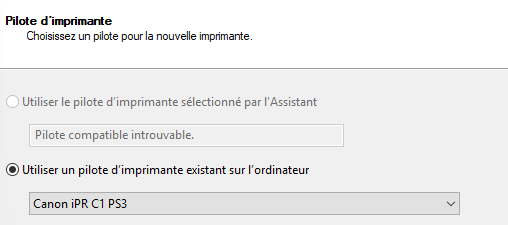
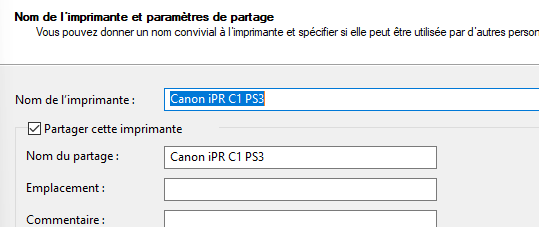
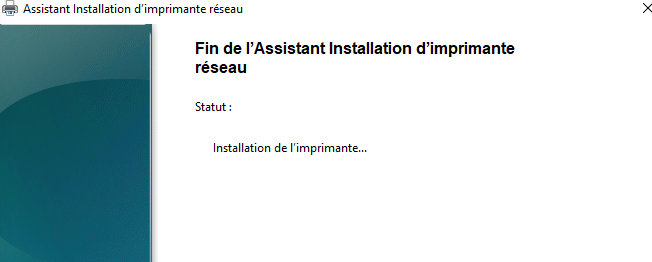
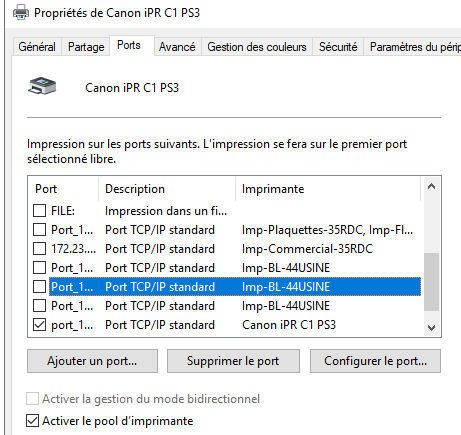
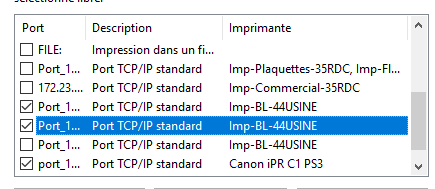
--- # Table des matières - [Installation pilote](#installation-pilote) - [Création de ports](#création-de-ports) - [Création d’imprimantes](#création-dimprimantes) - [Création de pool d’impression](#création-de-pool-dimpression) --- # Installation pilote - télécharger le pilote (fichier .inf ou exe sur le site du constructeur) - à partir de la console “gestion d’impression”, au sein du serveur listé, dans les pilotes, faire un clique droit, ajouter un pilote ![srv_impress_1](https://gitea.maxflix.xyz/Ichbine/Wiki_Info/raw/branch/main/Windows/Gestion%20serveurs/Services%20Servers%20Windows/srv_impress_image/srv_impress_1.png) - aller chercher sur la machine le pilote téléchargé ![srv_impress_2](https://gitea.maxflix.xyz/Ichbine/Wiki_Info/raw/branch/main/Windows/Gestion%20serveurs/Services%20Servers%20Windows/srv_impress_image/srv_impress_2.png) - valider l’installation, le pilote est listé dans ceux installés sur le serveur --- # Création de ports - pour ajouter un imprimante en réseau, créer un port correspondant à l’adresse IP de l’imprimante - clique droit dans la list des ports, “ajouter un port” ![srv_impress_3](https://gitea.maxflix.xyz/Ichbine/Wiki_Info/raw/branch/main/Windows/Gestion%20serveurs/Services%20Servers%20Windows/srv_impress_image/srv_impress_3.png) - choisir “port TCP/IP”, valider les choix et saisir l’adresse IP du port ainsi que le nom du port, puis “suivant”. ![srv_impress_4](https://gitea.maxflix.xyz/Ichbine/Wiki_Info/raw/branch/main/Windows/Gestion%20serveurs/Services%20Servers%20Windows/srv_impress_image/srv_impress_4.png) - valider le périphérique comme standard, puis valider, puis terminer. ![srv_impress_5](https://gitea.maxflix.xyz/Ichbine/Wiki_Info/raw/branch/main/Windows/Gestion%20serveurs/Services%20Servers%20Windows/srv_impress_image/srv_impress_5.png) - fermer le menu d’installation de port, le/les ports créé apparaissent dans la liste des ports ![srv_impress_6](https://gitea.maxflix.xyz/Ichbine/Wiki_Info/raw/branch/main/Windows/Gestion%20serveurs/Services%20Servers%20Windows/srv_impress_image/srv_impress_6.png) --- # Création d’imprimantes - clique droit dans la list des imprimantes, “ajouter une imprimante” ![srv_impress_7](https://gitea.maxflix.xyz/Ichbine/Wiki_Info/raw/branch/main/Windows/Gestion%20serveurs/Services%20Servers%20Windows/srv_impress_image/srv_impress_7.png) - ajouter une imprimante à partir d’un n port précédemment créé. ![srv_impress_8](https://gitea.maxflix.xyz/Ichbine/Wiki_Info/raw/branch/main/Windows/Gestion%20serveurs/Services%20Servers%20Windows/srv_impress_image/srv_impress_8.png) - choisir le pilote d’impression correspondant ![srv_impress_9](https://gitea.maxflix.xyz/Ichbine/Wiki_Info/raw/branch/main/Windows/Gestion%20serveurs/Services%20Servers%20Windows/srv_impress_image/srv_impress_9.png) - saisir le nom de l’imprimante qui apparaitra dans les partages ![srv_impress_10](https://gitea.maxflix.xyz/Ichbine/Wiki_Info/raw/branch/main/Windows/Gestion%20serveurs/Services%20Servers%20Windows/srv_impress_image/srv_impress_10.png) - lancer l’installation de l’imprimante réseau ![srv_impress_11](https://gitea.maxflix.xyz/Ichbine/Wiki_Info/raw/branch/main/Windows/Gestion%20serveurs/Services%20Servers%20Windows/srv_impress_image/srv_impress_11.png) # Création de pool d’impression >💡 Un pool d’impression sert à distribuer une liste d’attente d’impression sur plusieurs dispositifs d’impression pour réduire les délais d’attentes (dans les gros bureaux,…) - dans les propriétés d’une imprimante, dans l’onglet port, cocher la case `activer un pool d’imprimante` ![srv_impress_12](https://gitea.maxflix.xyz/Ichbine/Wiki_Info/raw/branch/main/Windows/Gestion%20serveurs/Services%20Servers%20Windows/srv_impress_image/srv_impress_12.png) - ajouter les autres port d’impression du pool ![srv_impress_13](https://gitea.maxflix.xyz/Ichbine/Wiki_Info/raw/branch/main/Windows/Gestion%20serveurs/Services%20Servers%20Windows/srv_impress_image/srv_impress_13.png)